.jpg?width=200&height=45&name=Superb_Logo_RGB_Colour_Magic_Black%20(1).jpg)
Guests can cancel their reservation from their confirmation email and reminder email once you turn on guest cancellations in your reservation settings.
What you need
- Access to your Superb Partner account
- Permission to open Settings in Partner
Enable guest cancellations
- Open Partner.
- Go to Settings.
- Select Online Reservations.
- Click Reservation Settings.
- Toggle on Allow Cancellation.
- Set the Cancellation Notice period.
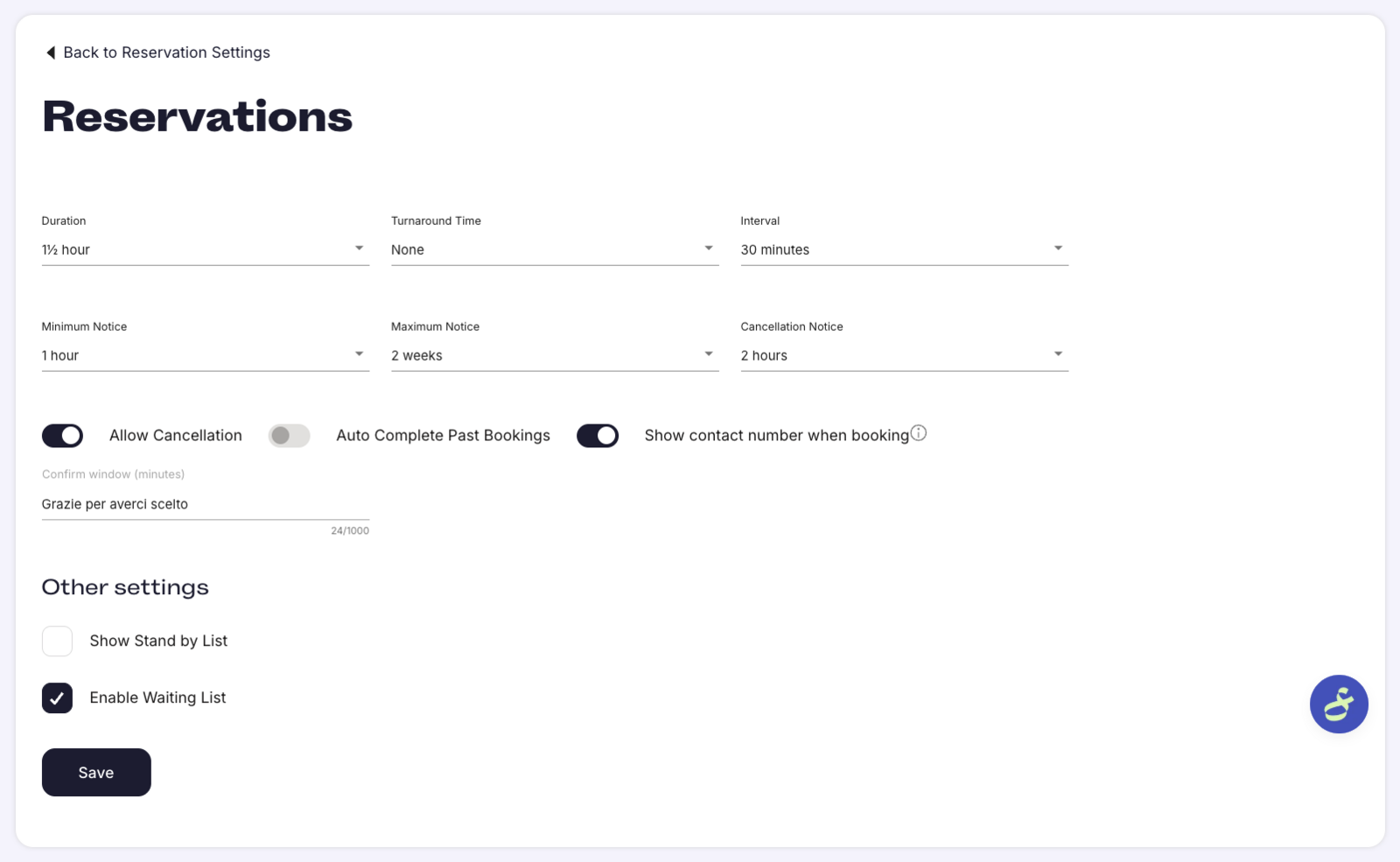
Set the cancellation notice period
Cancellation Notice defines how many hours before the reservation a guest is allowed to cancel. With a Cancellation Notice of 2 hours, a guest can cancel up to 2 hours before the reservation time.
- You control the cancellation deadline with the Cancellation Notice setting.
- Cancellations are not possible through the email link once the deadline has passed.
- After the deadline, guests have to contact the restaurant directly to cancel.
How guests cancel their reservation
Guests see a Cancel reservation link in both of these emails:
- Confirmation emails
- Reminder emails
The guest clicks Cancel reservation in the email to cancel the reservation without contacting the restaurant.