.jpg?width=200&height=45&name=Superb_Logo_RGB_Colour_Magic_Black%20(1).jpg)
Create an API key in the Tripletex back office so the Superb platform can be connected to Tripletex.
What you need
- A Tripletex login
- A Tripletex user with permission to create API keys
Create the API key in Tripletex
The Tripletex interface is in Norwegian. The English meaning of each Norwegian label is given in brackets.
- Log in to Tripletex.no.
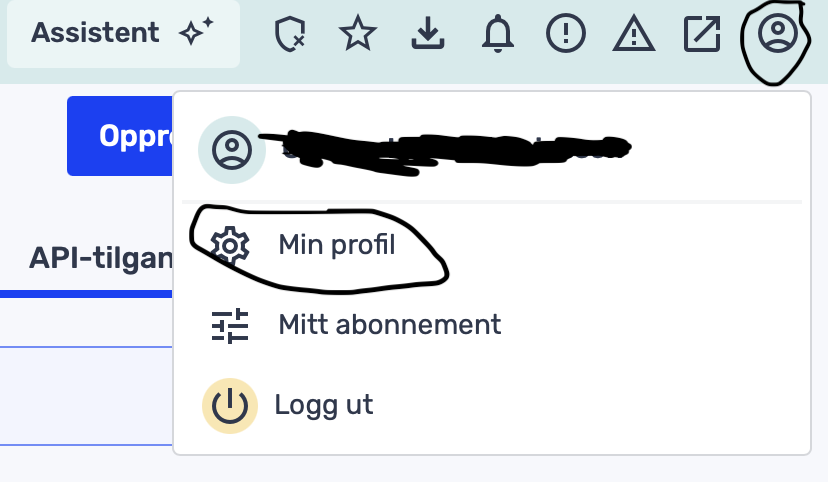
- Click the small profile icon in the top right corner, then click min profil (my profile).
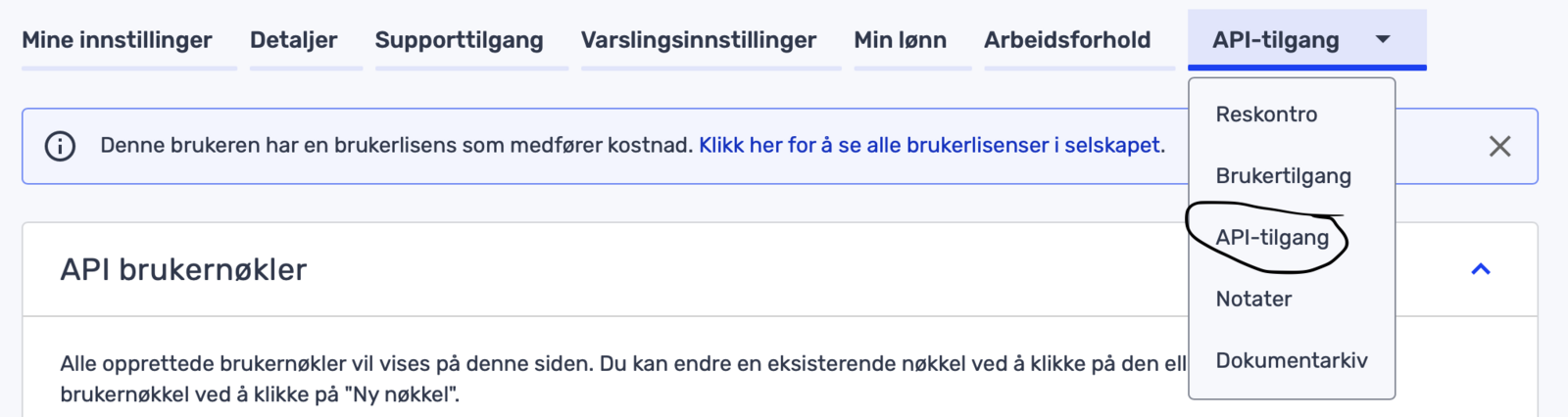
- In the top menu, click API-tilgang (API access). Check that the Tripletex user has permission to create API keys.
- Click Ny nøkkel (New key) and fill in the key settings.
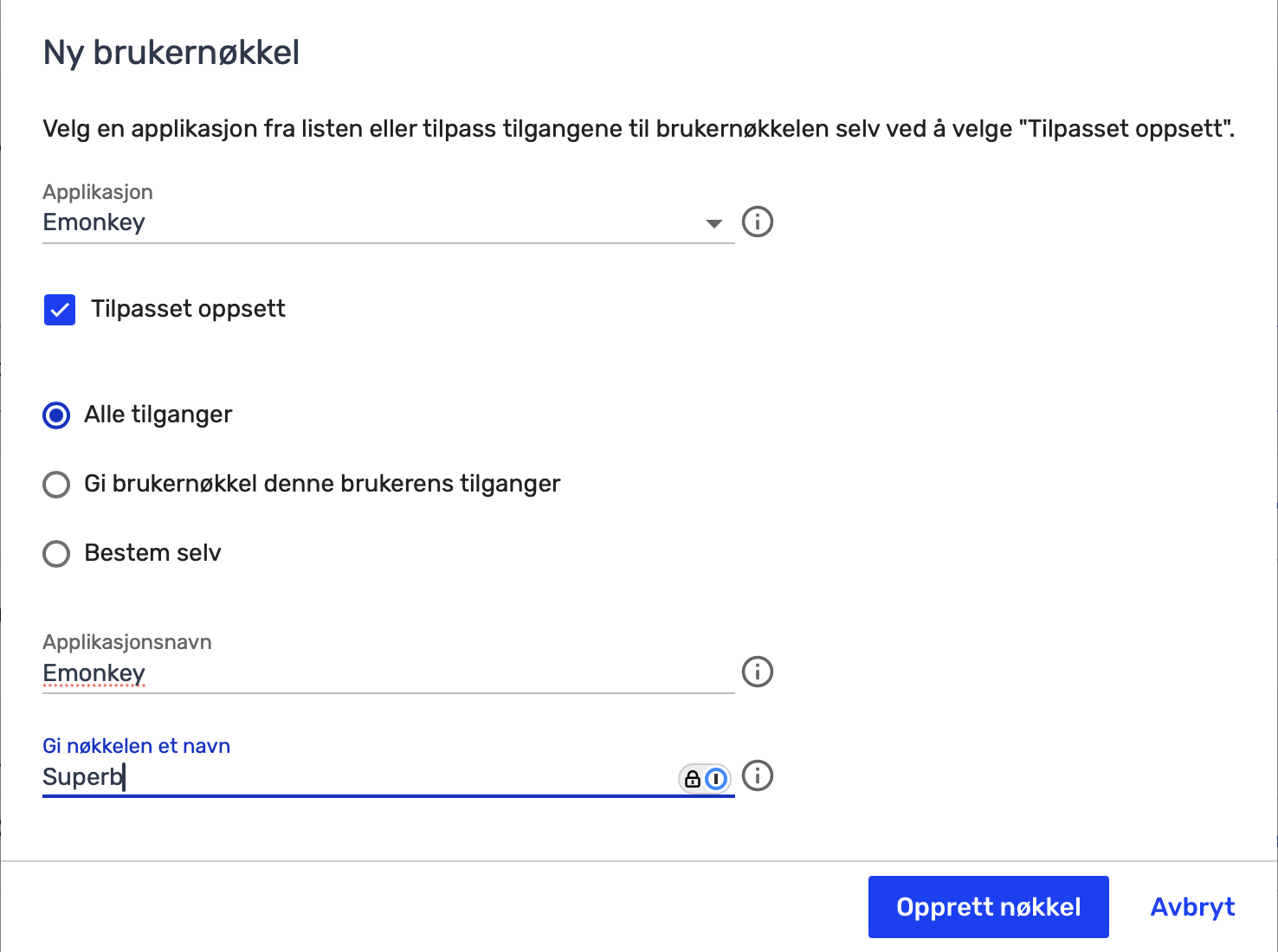
- Click Opprett Nøkkel (Create key).
- Copy the API key.
- Send the API key to Superb.